Introduction
I was given a task to complete the proposed project for emerging technologies and write up a portfolio blogpost of my whole process from start to finish. I’ll include research I made for the project, any narration aspects, software proficiency related stuff (videos and screenshots and writing about what I learned about the multitude of functionality uses for the software). The portfolio will include ethical considerations. Examples include, lights and effects can attract the user, motion sickness (ways to overcome it). Also talk about what the project will achieve.
I’ll also write about forward thinking (who the project is aimed for, how it can help, future proofing the recording experience so my future self can feel more relaxed when recording my narration when it comes to post production, adding effects to the planets after making their basic shapes.
I will then later add a production piece video and will add references at the end if needed. Most of the references will be mostly the images I will use for the portfolio and some information on these planets.
Immersive Art
What is immersive Art?
Immersive art is a form of creative expression that actively involves and envelops the observer, which can be done either in person or through virtual means. The defining feature of immersive art installations lies in their ability to provide visitors with a meticulously designed, multisensory environment.
Compare 2D with 3D
The main difference is that works of 2D art exist on a flat plane, while works of 3D art are objects. Examples of 2D art are paintings, posters, sketches, comics, illustrations, prints, and photographs. Examples of 3D art are buildings, animations, wood carvings, sculptures, video games and virtual reality.
Advantages and Disadvantages of immersive art
One of the main advantages of immersive art is that it enhances emotional impact. Immersive art has the power to evoke intense emotions and provoke thoughtful introspection. As viewers become enveloped in the art’s environment, they may experience a heightened sense of emotions such as empathy and understanding.
However, that could mean one of the disadvantages of immersive art is that it may overwhelm the user (that technology is becoming more advanced as time grows and can also to lead those not liking this new way of creating art).
What I will be doing for the project
For this project, I will be creating a solar system experience with the many different planets. The experience will include a starting section that trails into the solar system. At first, the solar system would look small in size, but the user can resize themselves and zoom in to see the planets up close.
All eight planets will be created in their proportionately correct sizes on a visual scale and their accurate colour palate. So every now and again I check through multiple sources online to see each planets sizes and compare those sizes to each other and their colours. Technically eye-balling their rough sizes and colour. The solar system Ill create will start with the Sun and end with Neptune.
After I made all the planets, I did plan to record the experience and post the video on YouTube and have narration of what I did for the project and how I did it in the background. I was told however that this doesn’t make it an immersive experience. I had to change my plans a bit which lead me to the idea of incorporating AR technology within the experience.
This means I will need to turn my creations that I made in Open Brush into 3D models (lessening their quality but maintaining and making the experience immersive). Other than the solar system, I plan to make two other objects and implement them in Adobe Areo.
My whole trajectory of the project is me implementing my models in the real world through Adobe Aero’s location anchor setting when making a new project. I’ll then set a location for the project and place the models separately from each other. I will use a borrowed iPad to scan the Q r-code and then walk towards where I placed the models in the real world and record the models being there as part of the interactive experience.
Narration
For the narration, I will be talking about what I did for the project and explain parts of the AR experience. I will talk about where I made the models and how I created them. All the narration will be added during post production using the Premier Pro software. I also talk about what did not go right and explain how I fix those problems. Those problems included the sun being too close to the other planets and the trail would be too big if implemented to life size in the real world.
I have been inspired by our solar system and used it to create it as a project. My narration will include me talking about how I created it in Open Brush is fun and easy to do. Then turn the VR file into a 3D model and place it on the real world using Adobe Aero.
Software Proficiency
Open Brush VR
When exploring through Open Brush, I learned a lot of useful tools I can use to create the immersive experience. Those useful tools include the plethora of different brushes, each having their own textures, style and animations. For example, I can create twinkling stars or create gusty winds with one brush stroke.
I learned that Open Brush doesn’t have ready made models you can just put in and colour them. Instead the software provides basic shape grids that allow you to colour on top of with options to snap the paint tool on the graph when drawing for ease. For example, I have a sphere grid and I point my paint tool on the grid. It snaps on the face and when holding the right trigger to draw, it sticks on to the sphere face as you draw making it easy to draw a 3D shape in a 3D environment.
Also the many small but really helpful tools like the eraser tool, the undo and redo tool, colour wheel tool, select tool, the ability to move object around, to fly or teleport around the art piece, the ability to resize your self and to get closer to objects in the open brush file, the ability to save and lots more.
All the videos I have made, where recorded my entire process of making the VR art with the use of the functionalities of the headset. Also I have taken a lot of screenshots of the outcomes of each of the individual times I have worked. So I helped my future self by recording the evidence I accumulated, and use them in this blog post.
I have opened Open Brush and started working on the project. I was exploring and experimenting with the many brush strokes and tools of this software. I set up the scenery (it being dark and mysterious). Firstly I created a trail that leads to the solar system. I picked specific brush strokes. The strokes I used resembles that of Rainbow Road in Mario Kart Wii.
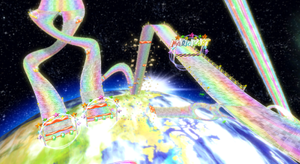
I wanted the experience to look mystical as well as factual. Since I planned to just record the art that I did as a video, It would look really cool as it has it’s effects. I used brushes that light up, zap, create stars, have prismatic colours and effects.
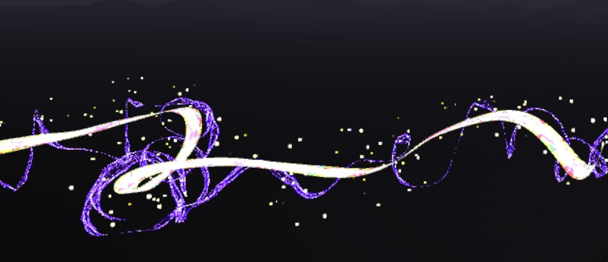
VR Project Ep1
The video below shows the first few moments of me creating the experience in the VR software Open Brush. It shows me creating each of the planets, stars and other space related stuff. I found out within the software that it didn’t have a torus shape model or grid so I had to implement one that I made on a 3D model software. The torus shape allows me to map out and understand where planets go on the orbit, providing me with guidance to create hand drawn rings and an overall placeholder for the art and will be removed once the art is done.
When doing each of the planets Sun, Mercury, Venus and Earth, I focussed on making each of those planets look unique and special. For example, for the Sun, I used a fire brush tool with the colour picked being orange, a charcoal brush with a dark red to mix with the sun’s colours. For Mercury, I chose a marble like brush with the dark grey colour picked and the charcoal brush with the black colour picked.
For Venus, I chose a smooth brush with the colour being gold and a fuzzy brush to add texture to the planet with the colour being dark gold to match. And finally for Earth, I chose a wet brush and chose a light blue colour to create the water for the planet, a smooth brush with a vibrant green for the land, the same brush with a dark green for the greenery variety, and a dry brush with light yellow colour to represent the dry parts of Earth.
VR Project Ep2
When creating the planets Mars, Jupiter, Saturn, Uranus and Neptune, I focussed again on making each of the planets unique with each other. Again using different brushes and changing styles when creating each planet. For example, Jupiter as a gas giant would need to look windy but from a distance a solid. So what I did to create the planet is choose the brush stroke that fits, preferably with wind-like texture. Next, I chose colours that match with our real-life Jupiter and painted ring like patterns up the sphere grid creating the wind like texture Jupiter has.
When creating Saturn, I used a smooth brush with a yellow colour pallet to create the spherical object using the sphere grid. I then used a new technique that I haven’t used for any of the previous planets (and unfortunately forgot to record beyond that point). What I did was I used a wind texture with colours light yellow and dark brown and did the same Jupiter (creating ringed patterns around the planets) but since I used an animated wind texture, the planet will looked animated with swirling winds going around it. After that, I have added the torus model and used it to draw the ring around Saturn with the wind brush (this took some time as it wasn’t a grid I can snap with my brush tool as I am just painting on top of the model with my shaky hand.
Uranus was made using a cyan colour with the wet paint brush tool similar to when I made earth. I used the torus model again to help me visualise where to draw the ring. Uranus’ ring is vertical not horizontal it’s a lot thinner than Saturn’s and it’s white. For Neptune I used the wet brush stroke again. Unlike Uranus, It’s colour is more of a dark blue.
Since I made the mistake of forgetting to record the times when I finished Saturn and it’s ring, Uranus and it’s ring and Neptune, I have recorded a final bit at the end of the video bellow showing all the planets I made and the changes I have done.
Some of those changes include removing the trail mainly because I will not work well in a AR environment due to size changes and convenience. So I replaced the trail with two comets zooming on the outskirts of the solar system.
Other VR art I did for the AR experience
I have used the headset functions to record and take screenshots of my entire process of making the VR art. From creating previous artworks using the VR software, I have learned a lot and understand most of the tools included. Since my trajectory for the project had changed slightly, I decided to work on creating two other VR art that will turn into models. A satellite and a UFO alien space ship.
Satellite
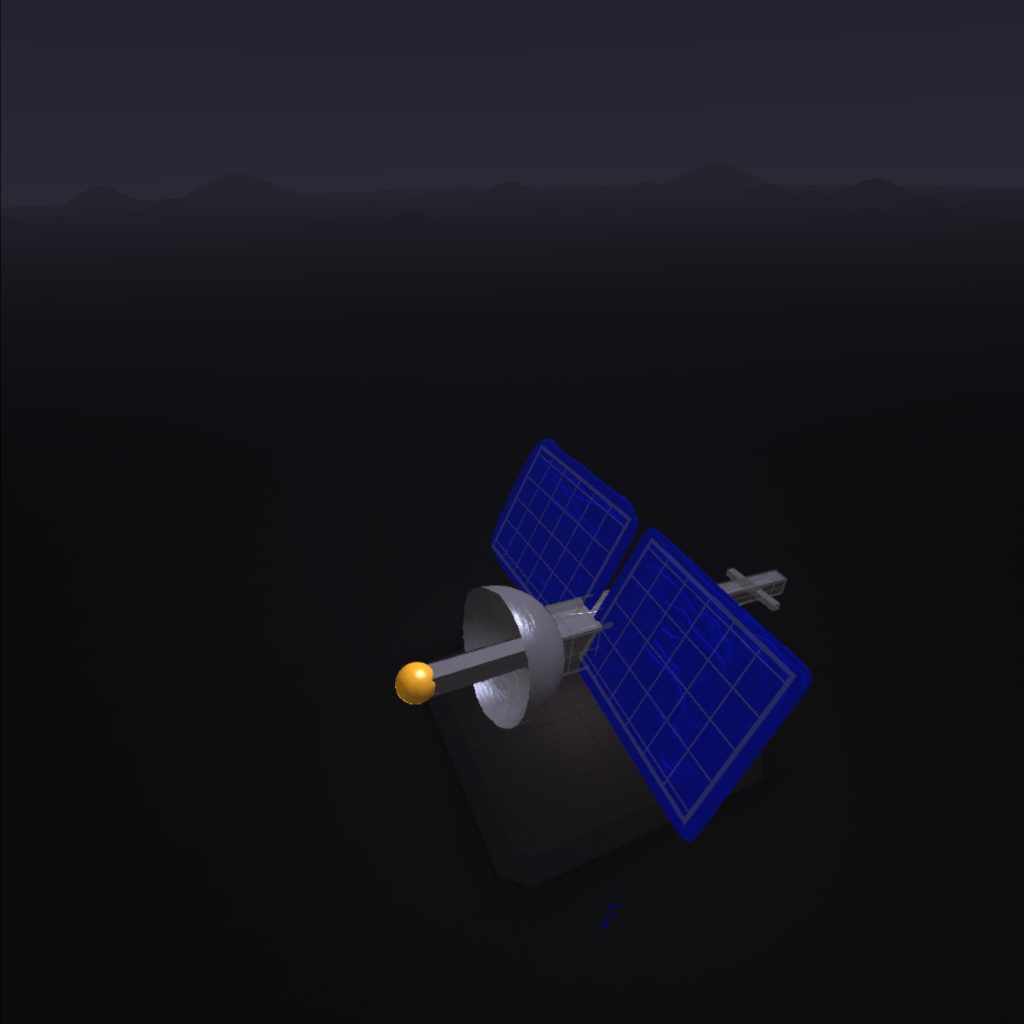
For the satellite, I used a wet paint brush and used the grey colour to create a metallic texture for most of the satellite model. The main way I created the shape of the satellite is the use of grids. Grids help me snap my brush tools to the surface of the shapes to easily create clean shapes with few struggles. I used two sphere grids. One for the dish that points towards the solar system. The other the gold antenna. I used six different cuboids to create the main body of the satellite and the tail and stuck with the metallic grey I chose for the dish. Finally, for solar panels, I used plane grids and with the royal blue colour with the brush being a wet paint texture.
UFO
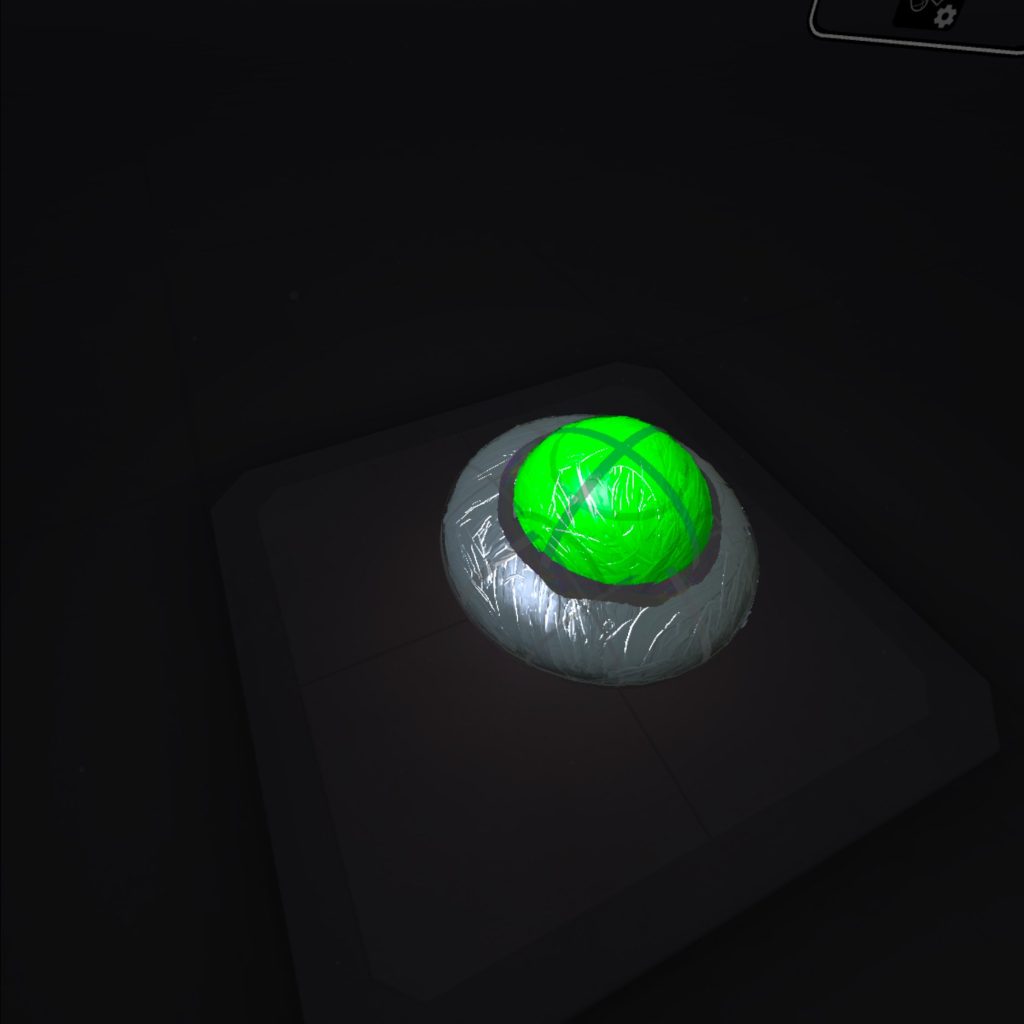
For the UFO, I used a wet brush tool again for both the base of the metallic parts of the alien space ship (using the grey colour) and the green glass dome of the ship (using the lime green colour). I used the software’s grid tool to create the shapes using paint brushes. I did think of adding some brush effects that goes around the alien spaceship. Those effects include, plasma brushes. After I tried applying the brushes I didn’t think it looked well so I just went with the UFO object. I did try to add some shading on the dome part of the UFO and the side. It genuinely looked better.
UFO and Satellite making
Adobe Aero
This segment of the practical project was mainly trial and error. It gave me around 8 different tries to get it right with different ways I tried to record the AR experience and successfully scan the scene. So I’ll explain how the process went and finally get to the solution.
Before I placed the models into Adobe Aero, I had to export the files into folders and zip those folders up for transport. I used Microsoft Teams to send the files to myself and import the glb files with the folder and put them in Adobe Aero.
Within the software, it gave me the option to either go for Image Anchor, Location Anchor or Surface Anchor. I did plan to choose image anchor but it didn’t work due lighting problems and since Adobe Aero was at it’s beta version, the software itself isn’t that advanced.
When creating the Adobe Aero file, I imported the three glb files of each of the VR art converted into models. I added the solar system model, the UFO model and the satellite model. AR art can be a bit inconsistent and can be difficult to get right. So going into this part of the project, I expected some trial and error when scanning the Q r-code given to me, going to the location and record the scene.
When implementing the models in Adobe Aero, I wanted the location of the models to be in a park area near where I work of course so I don’t need to run back to the computer I worked from as much when it fails. The park area is nice and not that busy. When I scanned the Q-code and went to that area, I had trouble scanning the area. I did this around five times and realised that the trees in the park area looked different to what’s in the AR software making it struggle to figure out where I am in the real world when I scan.
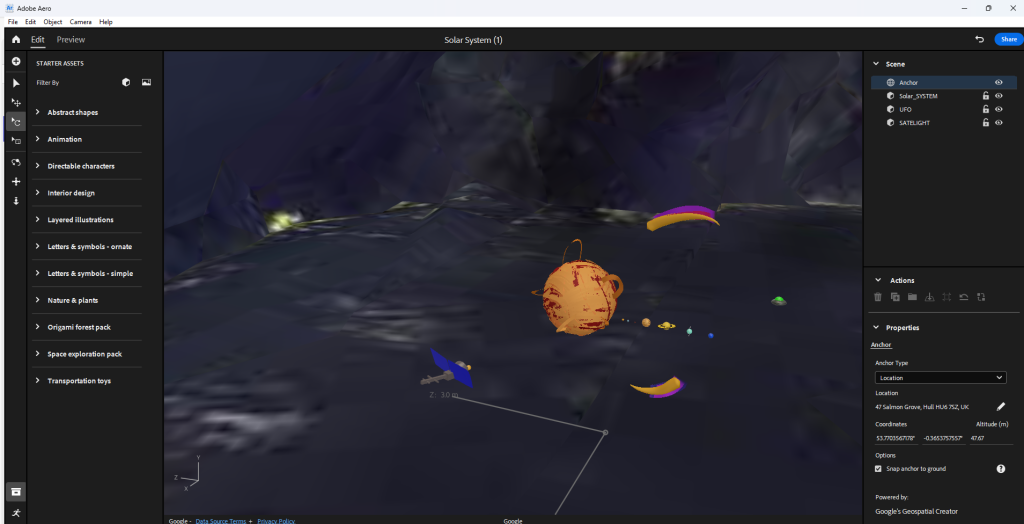
This lead to me changing the location of the models to an area that looks similar to the software. Also since the software is old, it would mean that I need to pick a location that’s been there at least more than 50 or 20 years.
So I changed the location to a more recognisable area and placed the models near some buildings that has been built for more than 50 years. I then pressed the blue share feature button that allows the software to compile everything into a Q r-code. When I scanned the code and went to the location to pan around, the model refuses to load for some reason.
There could be a lot of factors to why this is the case. This includes; weather, satellite interference and some environmental factors that go from buildings being built or destroyed to tree leaves not being fully grown.
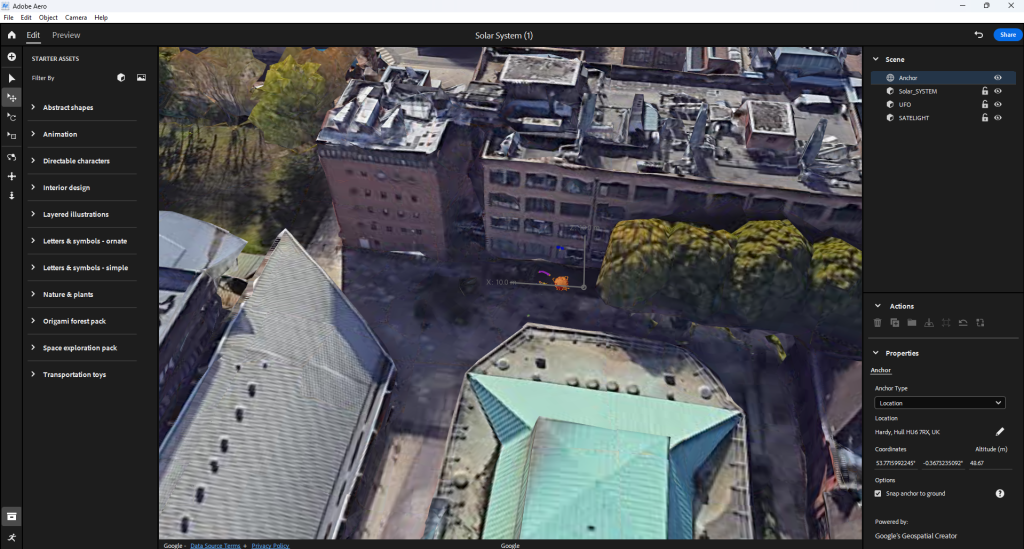
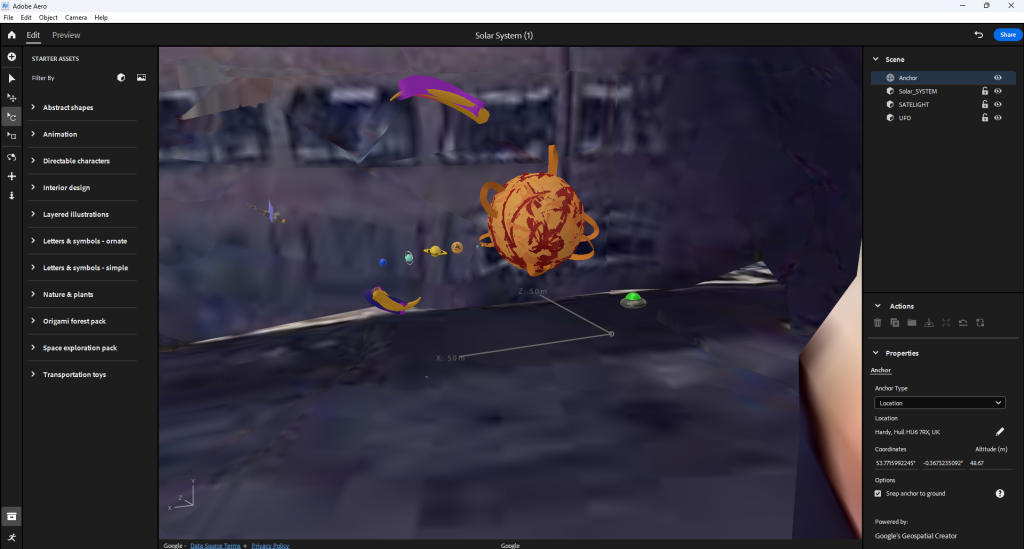
Thanks to previous experiences with AR, testing and experimenting, I do know of a place that works 100% of the time. I was also told maybe to separate the UFO the satellite and the solar system from each other and make the experience more immersive by creating a long line of artworks a far from each other.
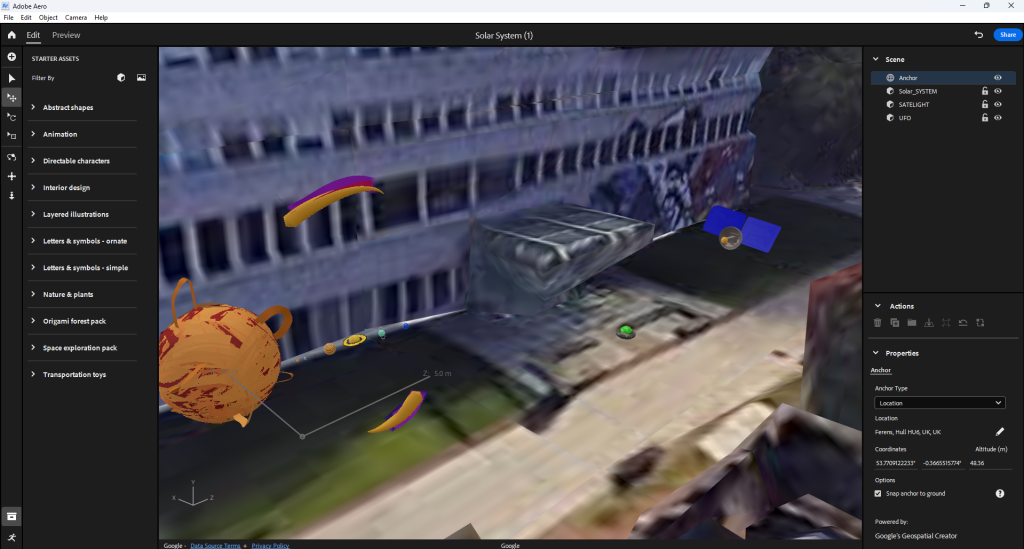
When compiling the scene together and scanning the Q r-code, I went out to check if it’s working. Sometimes when I do check if the AR scan works, I get issues where the models are in a completely place. This is due to the software being buggy and the AR functionality being less advanced.
Further more, I learned that separating the models actually make it worse in terms of calibration. When I walk up to the first model and then walk to the second and then the third the whole AR experience flips and puts all of the models in a completely different area. So, what I did to fix the issue is put all the models together and record the whole thing.
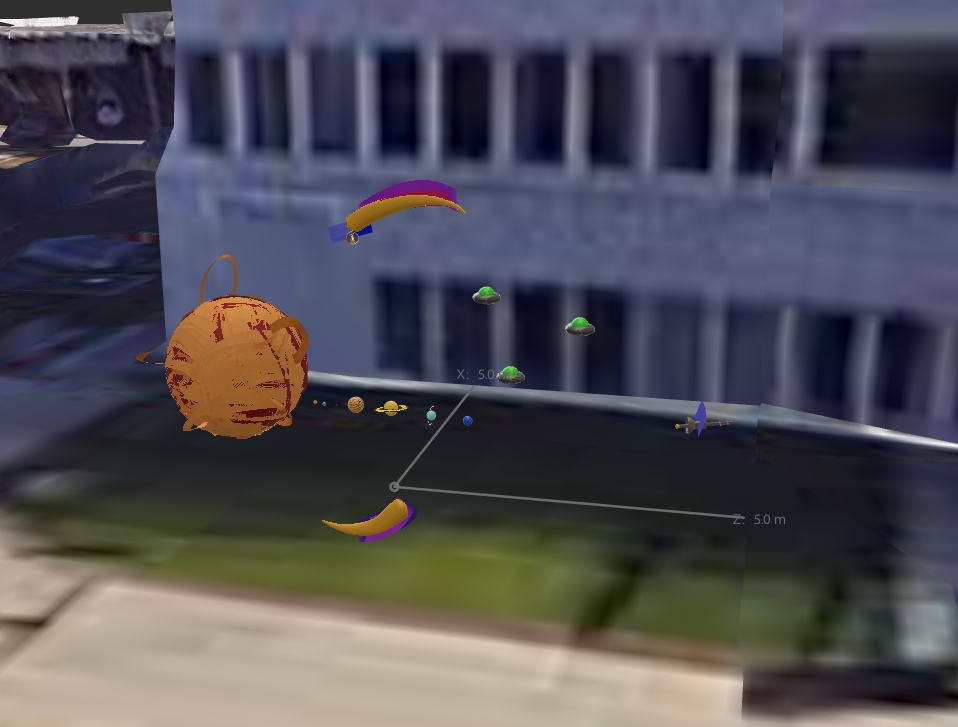
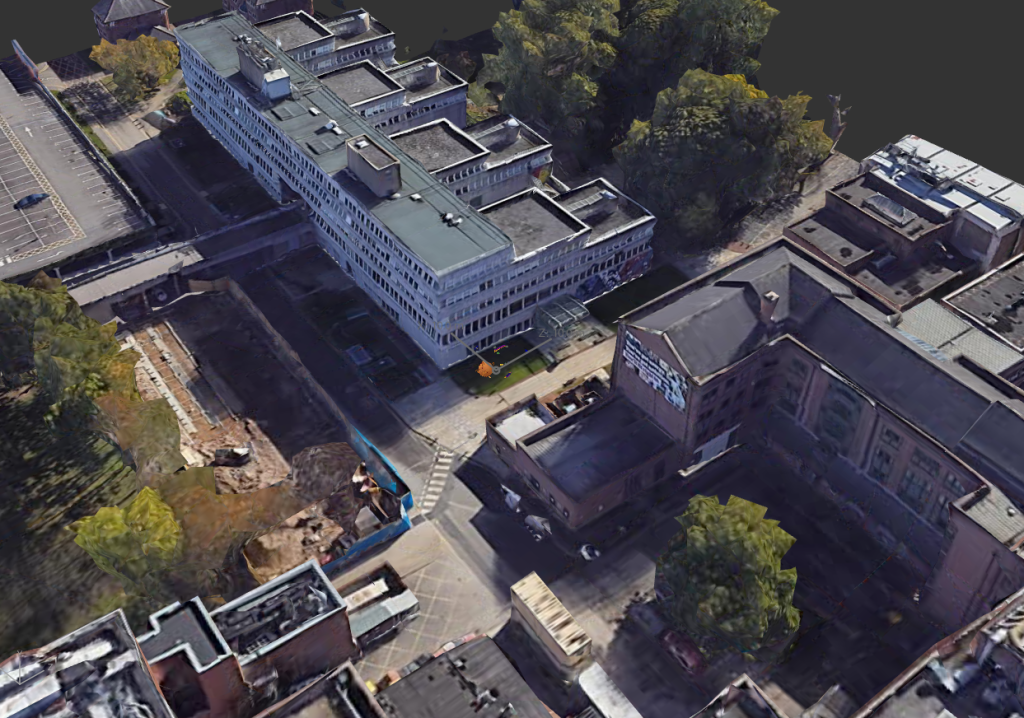
Q r-code
(Just in case you want to see it but it’s only in that location and it’s difficult and a huge pain to experience it. I recommend you just watch the production video below)
Ethical Considerations
The user will be able to use Adobe Aero to scan a Q r-code and go to the specified location for the model to load. The user will be able to walk towards the model and circle around it. The Q r-code will be sent to me on Adobe Aero so it’s completely safe to use.
- It being an AR experience makes it easier for the user to traverse the scene. They don’t need to travel too far making it safe for the user if in a safe environment.
- Also the controls to scan the Q r-code and scan the area marked on the map is pretty intuitive and easy to understand once the set up is done and all the models are present.
- Since it is an AR experience, motion sickness won’t be a factor to be concerned about due to the user is familiar to his or her surroundings
- The light trail won’t be added to model as it dwarfs the solar system (or it makes the trail too big.
Forward thinking
Since the project is aimed to educate others and also children about our solar system. There are three models I have created for this AR project. One, is our solar system (this may inform others on what each of the planets look like, how many there are, where there at in relation to the sun and there individual sizes).
Second, is a lone alien space ship (even though the thought of the existence alien life may seem silly and weird to think about, but in reality we don’t know if there are extra terrestrial life living beyond our planet). Emphasising a sense of mystery within the immersive experience.
Third, is a highly advanced satellite (this may inform others that our technology continues to expand with new discoveries and revelations) who knows maybe we’ll get to a point where we find another habitable planet with new species or minerals to utilise for the betterment of human kind.
In terms of forward thinking, when I place the VR made models I created into the location I plan to set, I’m going to record the out come of the AR experience. When recoding, I’ll need to make sure that I’ll take my time with it so when narrating in post production, I won’t feel rushed to say a few things about each of the models I did for the project.
Production Video (Narrated)
Production video (Un-narrated)
Reference list
BreakingCopyright (2021) Epic Sci-Fi & Cinematic (Music for Videos) – ‘Ultra’ by Savfk. YouTube. Available online: https://www.youtube.com/watch?v=8-c4hT35BRg&list=PLfP6i5T0-DkKqBmz_qzJtZOmlbO7CHlVD [Accessed 11 Dec. 2024].
Charlotte (2018) Visual Arts: Definition, Elements, 2D Art vs. 3D Art, Filmmaking, Game Design. Abstract Art Paintings by Carmen Guedez. Available online: https://cgmodernart.com/art-articles/visual-arts-definition-types-elements-2d-art-vs-3d-art-filmmaking-game-design [Accessed 22 Nov. 2024].
Kart, M. (2023) Rainbow Road (Wii). Mario Kart Racing Wiki. Available online: https://mariokart.fandom.com/wiki/Rainbow_Road_(Wii) [Accessed 4 Dec. 2024].
Kozlowski, M. (2021) What is Immersive Art? | A guide to art terminology. avantarte.com. Available online: https://avantarte.com/glossary/immersive-art [Accessed 22 Nov. 2024].
marianagaro (2023) The Marvelous Benefits of Immersive Exhibitions – TrackIn. TrackIn. Available online: https://trackin.tech/the-marvelous-benefits-of-immersive-exhibitions/ [Accessed 23 Nov. 2024].