Introduction
In this course, I was given an assignment to create a 3D Asset that could fit in a 3D world. I was also given a choice of 4 different main themes plus a wide range of subthemes that could help me in my idea and research generating of my assignment.
Research
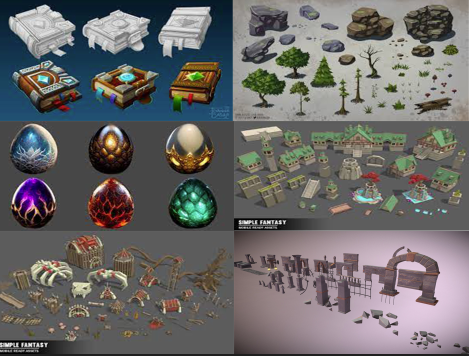
When researching the themes and taking part in the lectures I have created a mood board that helps me think about the asset I will create. I then had an idea of doing a fantasy type asset but I haven’t figured my sub theme until recently.
Concept Art
I drew up some brief concepts of the type of asset I might create. Those include mythical creature eggs, floating gems, a flower with gem petals, a tree (growing gems as leaves or crystals as leaves or fruit that emits some light perhaps or possibly a tree growing feathers) trying to keep it original or less cliché. I also thought of a statue made of gold or ruby or even jade or amethyst. A locked box with light glowing from the inside came to mind but I realised there is isn’t much to of from if I want to make it unique.
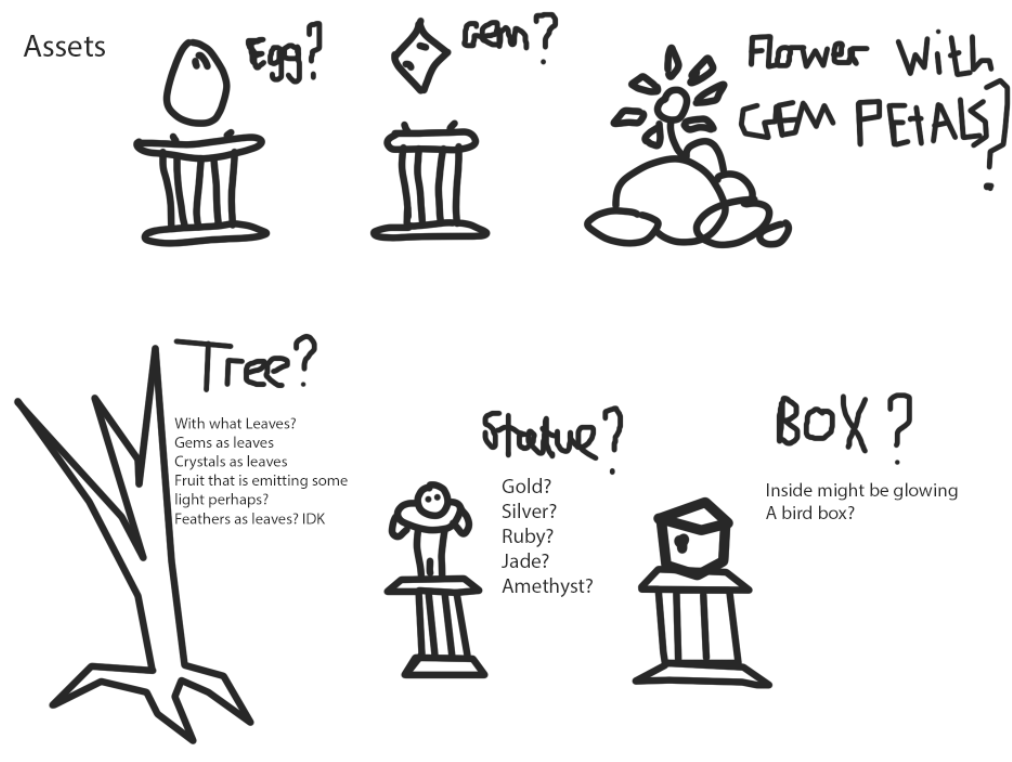
When figuring what one asset I’m going 3D modelize, I decided to use one of the asset concepts I drew and use the ideas from the other ideas from other concepts and merge them into the one asset. For example, I could mix ideas from the statue and the floating gem creating a floating statue with a glowing see-through material. With this mentality, I have chosen to create a dragon egg 3D model. Before I start modelling, I went on photoshop and have experimented on the the ideas I had when creating concept art for the egg.
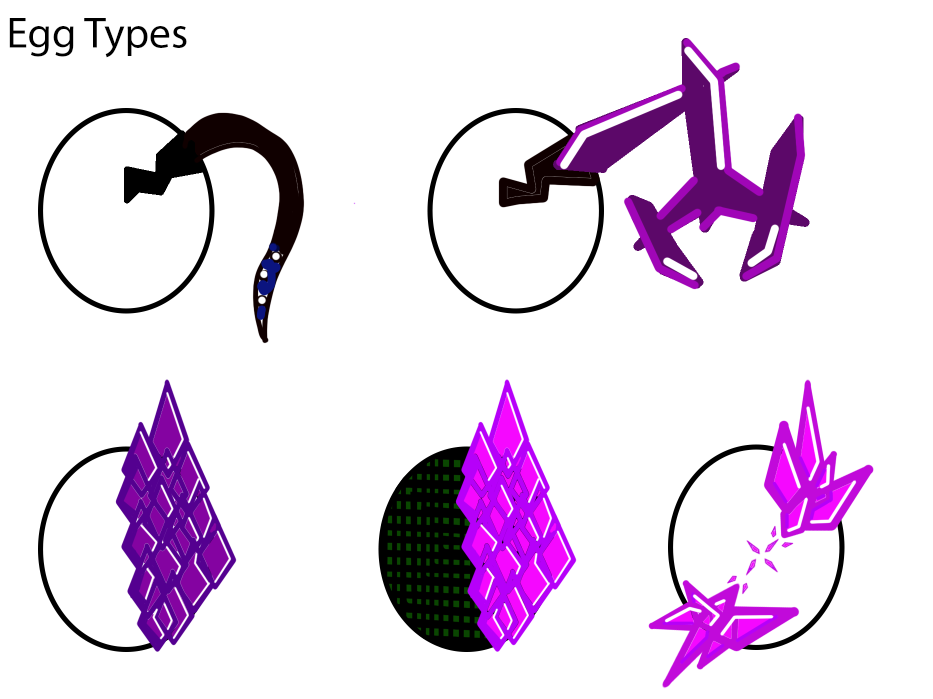
I had a couple of ideas for the egg and it’s appearance but I managed to get a base idea for what I will be modelling. At first I had it so the egg is cracking and there is a tentacle coming out of it. Then I drew the same egg but instead of a tentacle, it’s a crystalised arm and claws coming out of it. Whilst I was creating the crystals for the crystal monster idea, I thought of another idea that makes it so that the crystals are infecting and corrupting the egg. My third idea was that I make half the egg corrupt and the other half not. I showed this concept to a lecturer and showed an image that inspired the idea.
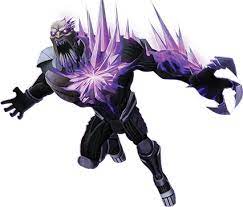
This character, is one of many villains in a kids show known as Max Steel. This character has purple crystal spikes jutting out of his body. This is the main inspiration for my asset and it resembles the concept idea very well. When I showed this image to the lecturer, he said instead of making the egg having too much crystals on one side, make it so that it’s on some parts of the egg avoiding the symmetry and creating an almost natural look as if the crystal is growing like vines on a tree that doesn’t have a set idea on how it will grow it will just grow naturally.
This is when I decided to go for a Fantasy Corruption theme for the assignment. Fantasy because I find it easy to generate ideas and there are no set rules to what fantasy should look like (It’s heavily opinionated) and the corruption/beauty part is the purple crystal shards that have some negative/magical impact on the dragon egg and it’s surroundings. This idea of the crystals being the infectious corruption is unique because it isn’t bacterial or fungal but a bit of both mineral and biological (which doesn’t make sense but is very unique as a concept).
3D Modelling
As I was starting to create the 3D model, I wanted to create a basic look for the asset to gain a better understanding of how I create a 3D model the start of the modelling prosses whilst following the most recent egg concept. At first it was difficult because I’m turning a 2D model into a 3D model but shortly after the basic modelling and building with the help of a 2D image, I moved on to the details. Those details include adding juts of crystal spikes, ridges on the top platform of pedestal and a ground mound-like base that connects the pedestal to the floor. On the shaft of the pedestal, I wanted the crystals to go down and infect the floor. The crystal infects the egg from the top right then it slithers it’s way down to the bottom left of the egg. Then it infects the pedestal from the top left then it slowly moves down the pedestal to the bottom left infecting the ground also. I have decided to add a mound that connects the asset to the floor (this is what call future thinking as I will be using that asset as a centre piece for my 3D Environment design. For the mound, I specifically rotated the shape to make it look crooked as if nature has taken over the pedestal.
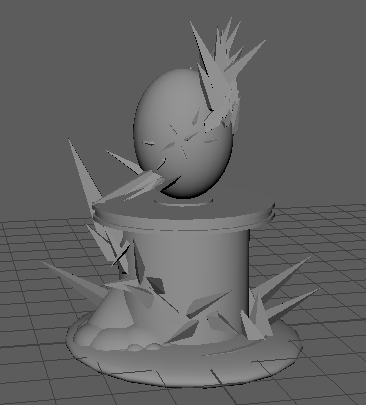
I came up with this asset which is great for an idea and it needed to present this infectious mineral taking over the egg and physically morphing the creature within and infecting it’s surroundings. When I showed this to one of my lecturers, he said that overall it looks good but he wanted me to create some egg holder to the pedestal so it doesn’t look like it’s floating and make the oval egg shape look more like an egg by adding a point at the top. He also told me that the crystals going down the pedestal looks too random and messy and advised me to make the crystals face one direction but spread them apart and fit smaller crystals like the face of a chicken head.
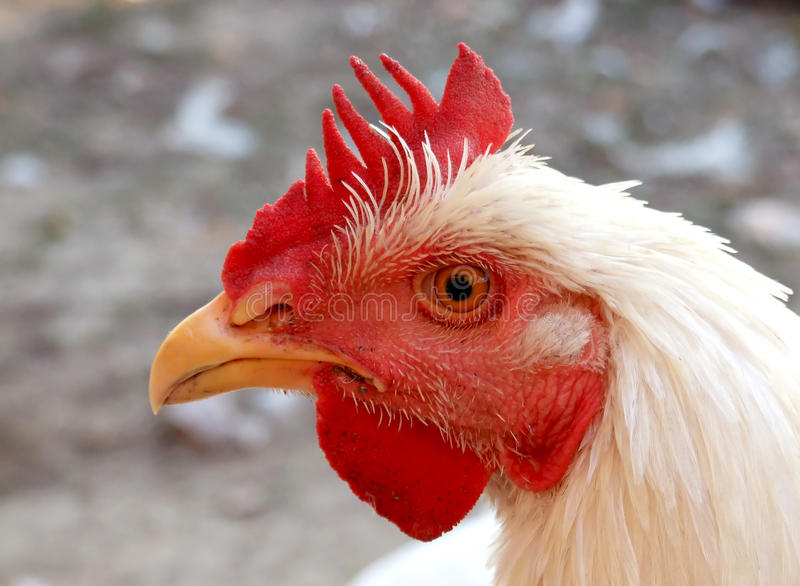
I have found this image on google and it may look ridiculous at first glance but the idea of this image, is the feathers getting smaller when near the face. I could apply that idea to my asset to make the crystal arrangement look better instead of the random, messy juts of crystal going down the pedestal.
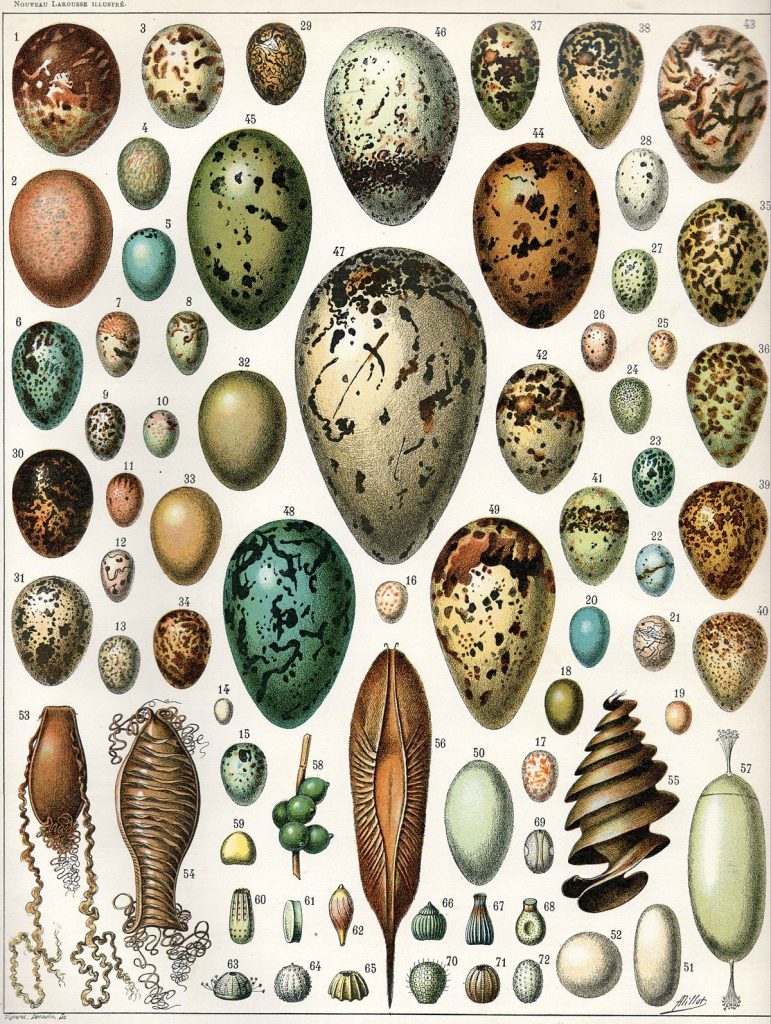
I went on google images and found this image and was inspired to change the shape giving it more depth with the shape and make it more realistic. I have noticed most animal eggs have this point on the top of the egg. This is what makes the egg look more like an egg instead of it being just a 3D oval.
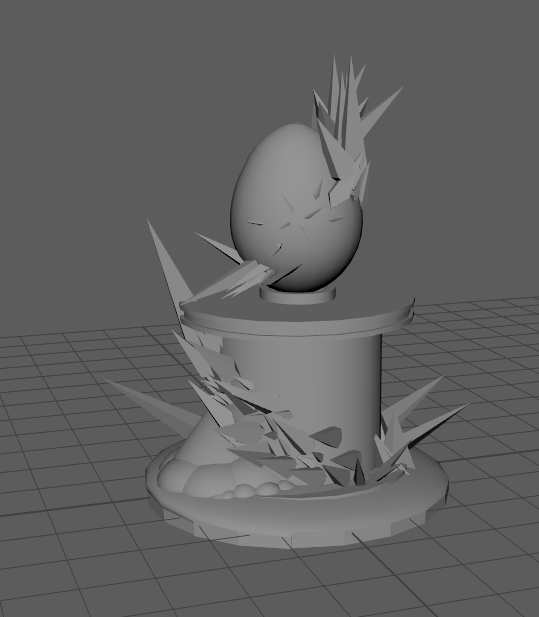
An orthographic view of the asset.
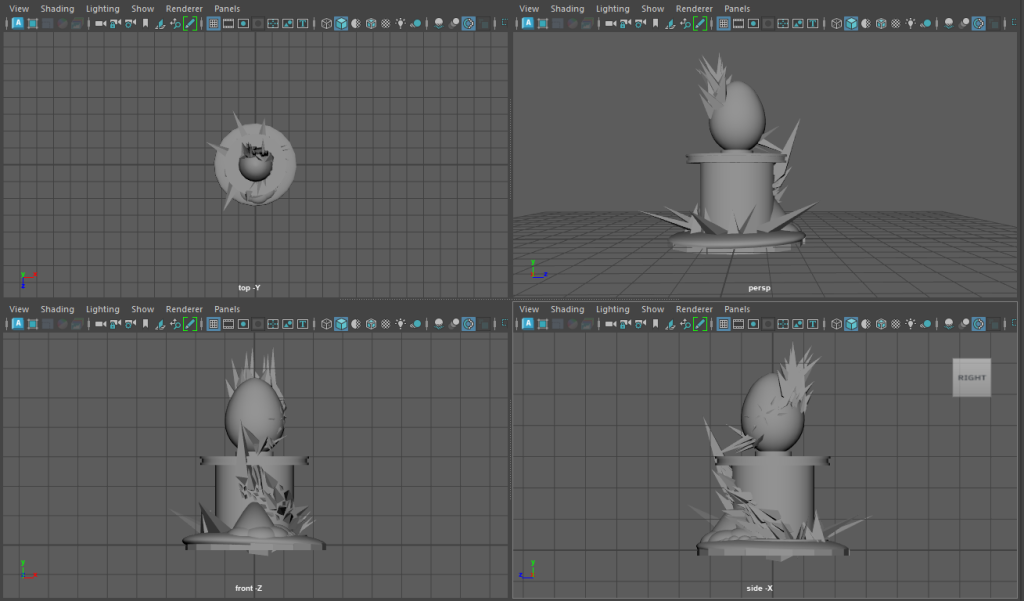
This is my improved 3D model and with the help of the feedback given to me, I have managed to make it look finished. Since the modelling aspect of this assignment is complete, I just need to colour and texture the model.
Texturing
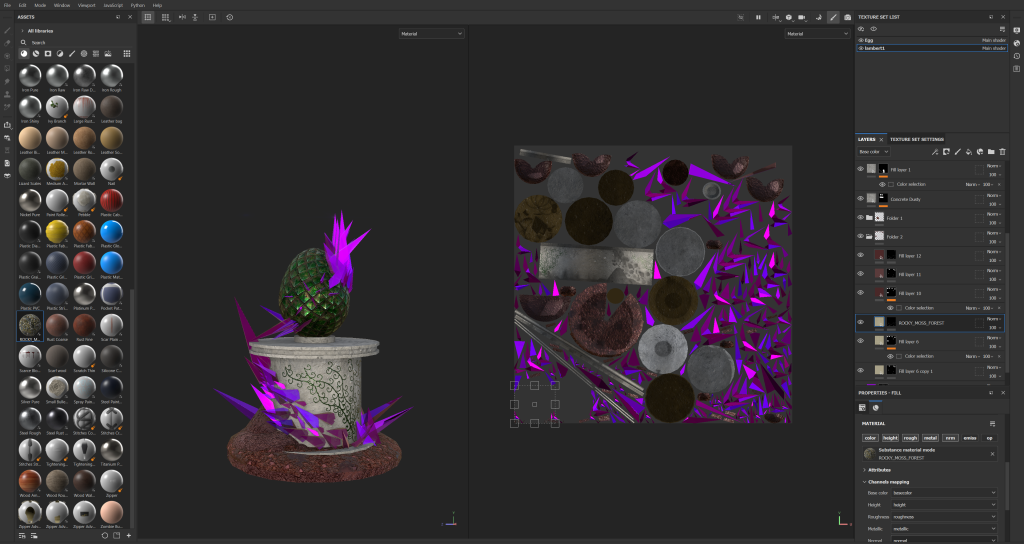
I have taken this 3D model and placed the model into substance painter and have experimented on texturing, layering, lighting and the transparentization of the model. As I was texturing, I have learned a lot when going though the software (those include everything above and a bunch of other details spanning from difficult stuff like UV Mapping and simple stuff like applying general materials on the models). Furthermore, I have enjoyed the entire process of texturing, learning the software and working on my 3D model.
Before I do texture the asset for the final look, I had to go through a process where I had to optimize the UV mapping to minimize texture stretching. First the process of limiting the stretches, is cutting and sewing parts of the stretched shape. I’ve learned that cutting your stretched shape into four pieces can provide the best outcome (this allows it to layer the individual faces making it easier to control the stretching). The next step is to click on the individual faces modify them by unfolding the shapes (this is what makes the material less stretched by a decent amount).
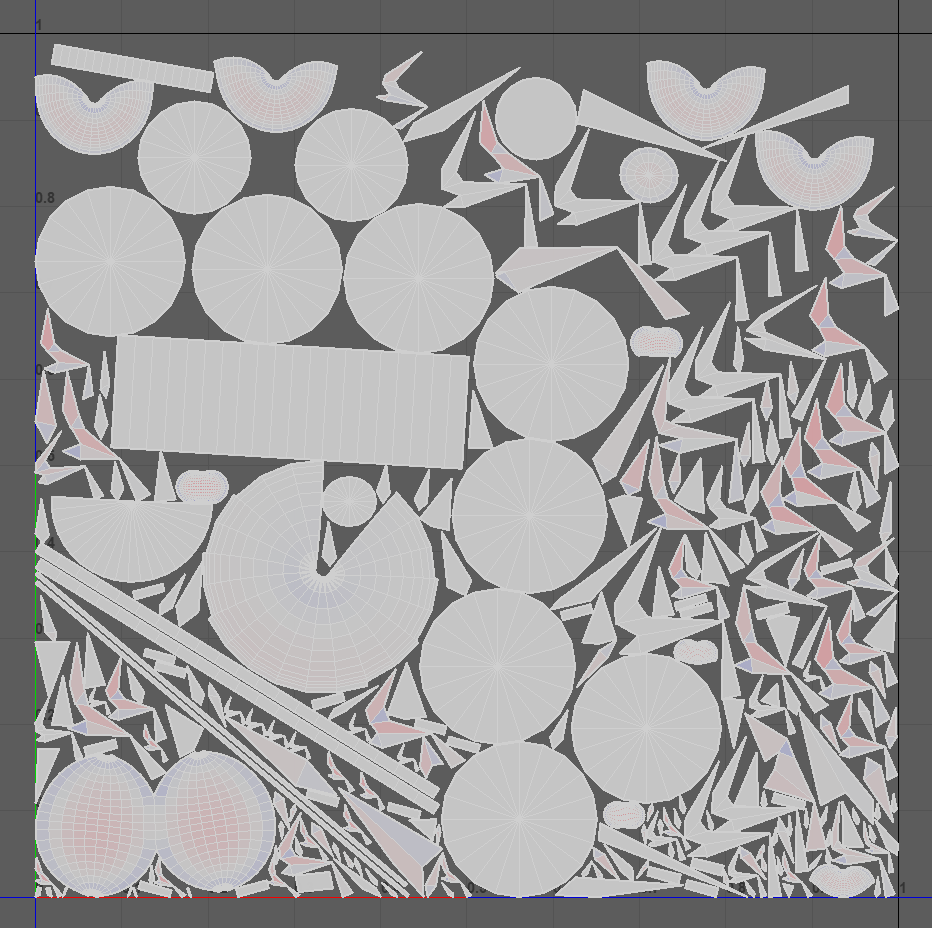
As you can see, I have made sure that there was few red spots and have optimized the stretchiness of most of the shapes in my asset.
After that I moved on to ID mapping. This was important because it allows me to apply the texture on certain parts of my asset. I did have some issues relating to some instances when certain different shapes having the same colour for some reason meaning when I paint on one object it paints on a completely different object that I didn’t choose.
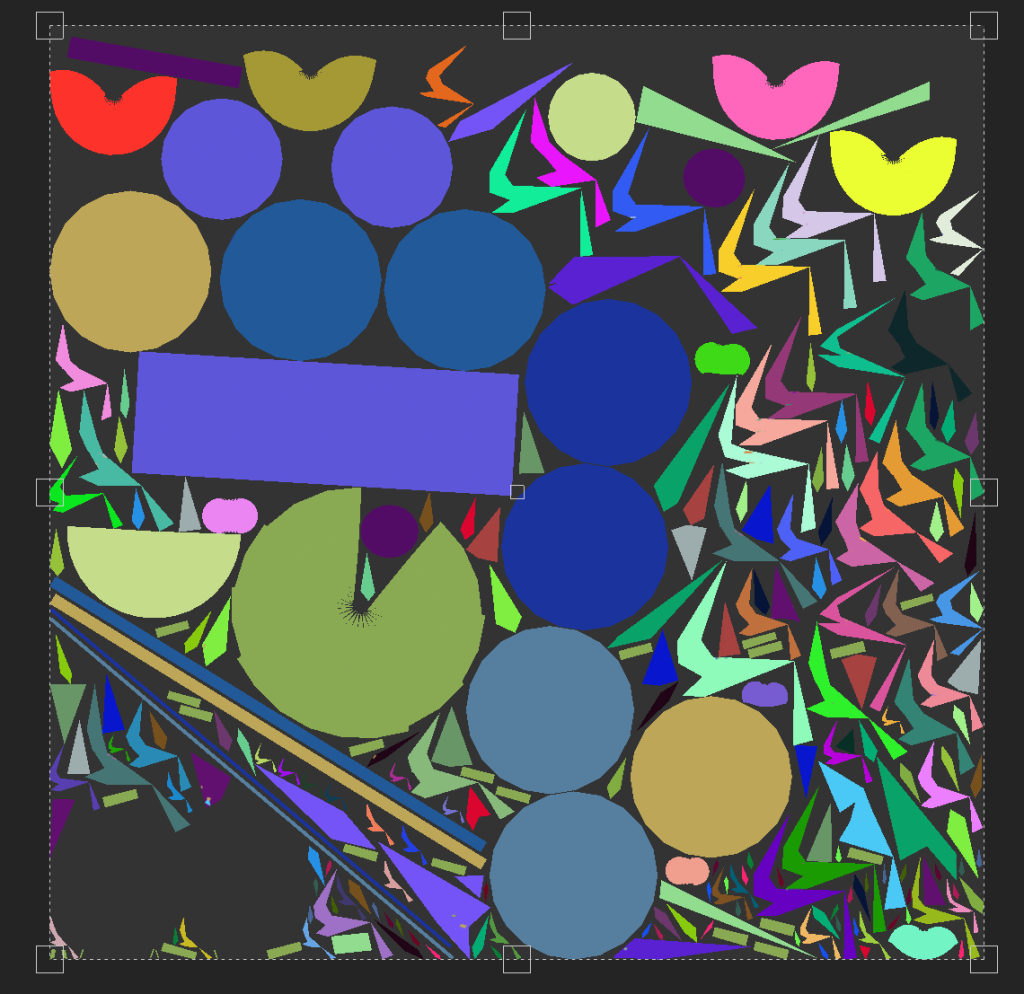
Now that I have finished with the stretch limiting and the ID UV mapping process, I can move on to fully texturing my asset. For my asset, I wanted to convey an infection spreading into unborn life. I used colour theory to attract the viewer. Choosing two tertiary colours a light green with a light purple on the egg specifically. The green represents the natural look of the dragon egg and conveys some clean connotations like growth and balance.
But on the contrary, I chose a dark purple colour for the crystals representing evil, corruption and darkness. I placed the crystals in random orientations and clusters making another contrast between egg and infection. The egg being smooth, pristine and the colour conveys clean and growth connotations. The crystals on the other hand are sharp, dangerous and the colour conveys dark and evil connotations.
I believe I have achieved this deep contrast within the infected crystalized egg through colour and shape. Both colours contrasts each other and it will attract the eye of many who comes across this abomination of an asset.
Lighting
In terms of lighting for my asset, I experimented with the emissive tools within substance painter on what texture I could apply on the crystals. I have learned how to apply a glint and make the crystals glow.
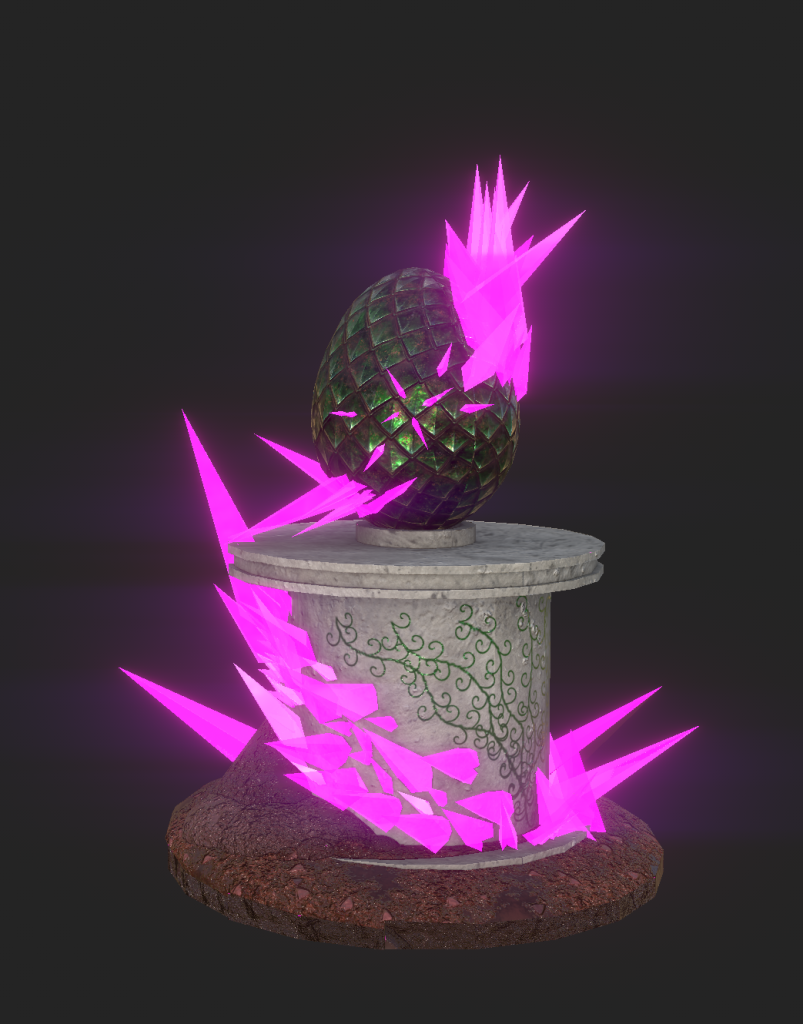
I finished texturing the asset, and I felt that I did an amazing job at creating the egg and pedestal that I felt very proud of my work. I have textured, coloured, lit, painted and added lots of other details in my work and have created a very promising piece for my assignment.
I also learned that the applied glint, glow effect may not be the same when the texture is put into Maya. The Arnold feature doesn’t maintain the glowing glint look from substance painter making it have a slightly less quality look within the asset. But with more lighting, set up and rendering, I can try to get that look back.
Rendering in Maya
When rendering in Maya, I followed the given tutorial on canvas and managed to create a studio set-up with lights pointing at the asset and and providing a camera that creates the scene of the asset. I had to create a box around the asset so when I use the camera to Pan around the egg, I don’t show the endless abyss of the when the camera moves. The image below shows the 5 lights I have used one on each side and one a spotlight shining down on the egg. The camera is the green highlighted object on the right hand side.
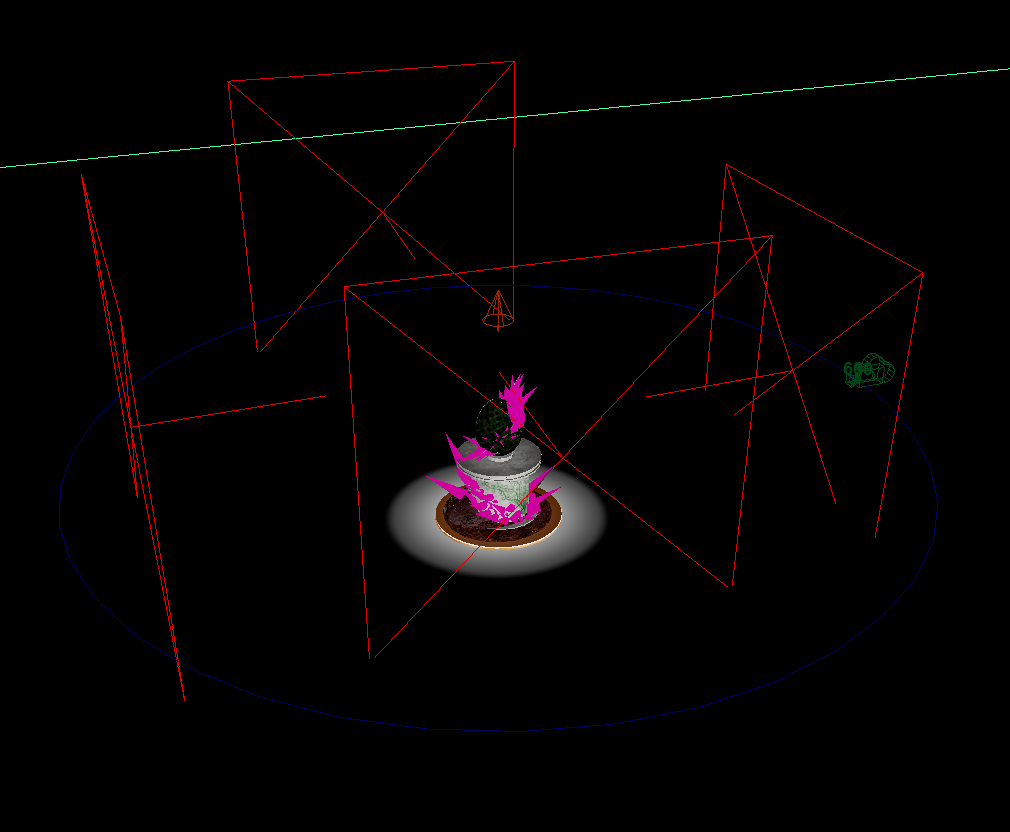
I plan to have the camera pan around the egg and pedestal asset as a full shot.
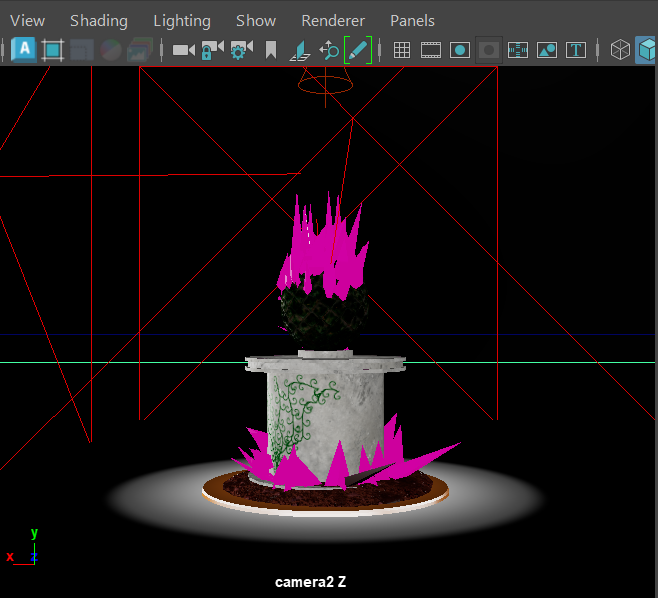
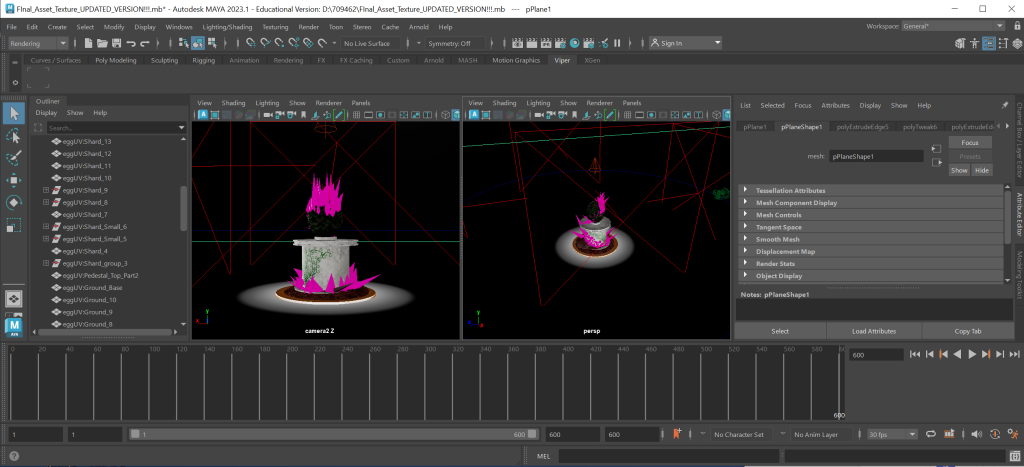
It took me some time to learn the keyframes, camera angles and lighting within this point of the course. I did have a lot of trouble with camera angle issues where the camera pans to a place I don’t want it to pan, the timeline keyframes don’t save unless you place the camera in a different position before you change the keyframe.
I grudgingly held my frustration with the work and was advised to take a break because I have been behind the computer for 6 hours straight. I came back with a fresh mind and have fixed the issues and I moved on to sending it to Viper.
Reflection
The elements I have incorporated, does link with the theme of my asset design. I have created an egg that resembles scales of a dragon. The style is rugged but delicate. I have received some feedback about my asset and I am willing to use this feedback for my future projects. I was told that It would be better to create physical vines instead of the painted vines.
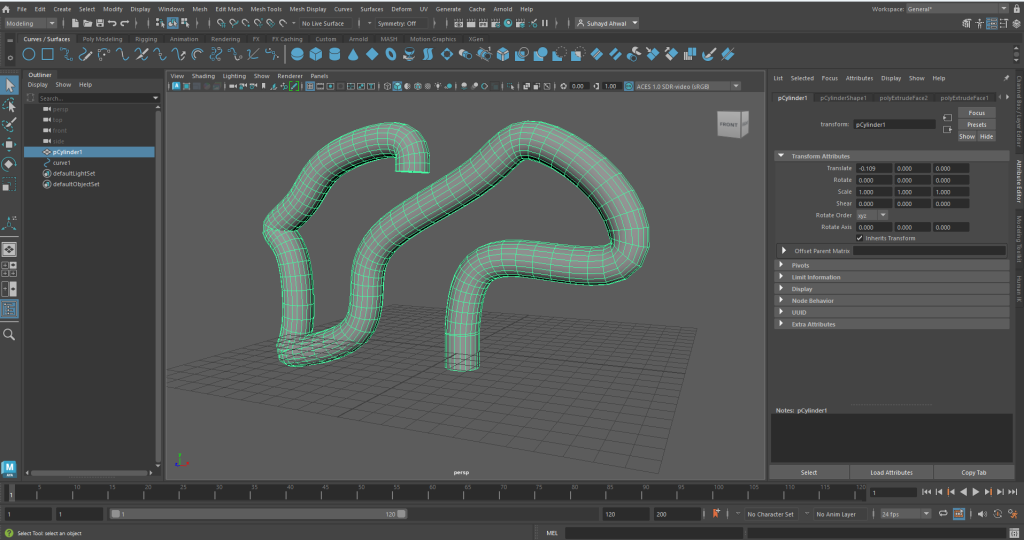
I found out that it’s possible to create vine like shapes by using the curve and drawing tools and turn them into static meshes and alter the faces on the shapes a bit to create pointy bits so I can replicate vine like appendages within my models.
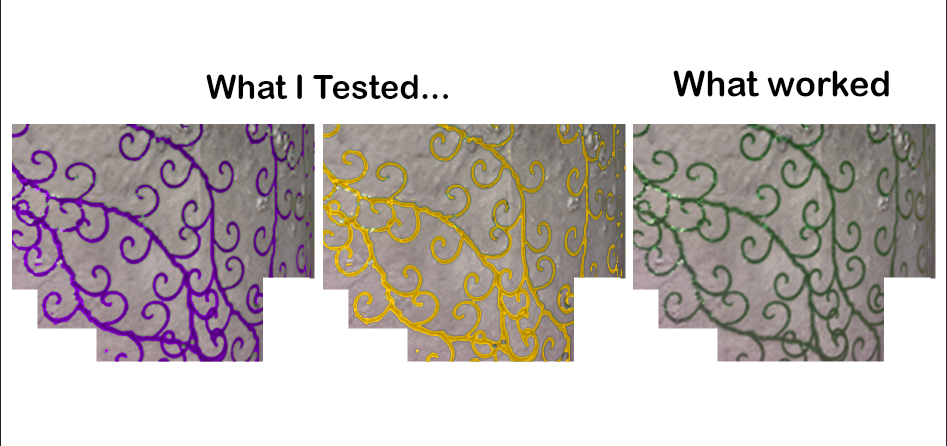
The second main feedback I was given was the vine colour and wondered if it could be better if it was a different colour. Instead of green, they said maybe the vines could purple or gold. I have in fact tried those options. I decided not to use the colour gold because it didn’t fit with the grey pedestal colour. I also decided not to use the colour purple because it overshadowed the crystal infection that was already infecting the pedestal making the crystals less noticeable.
Video
References
Images
Prestino, D. (2019) Fantasy Dungeon Assets. Available online: https://sketchfab.com/3d-models/fantasy-dungeon-assets-c2b9f3cc684946f0a96fe3caff4f05aa [Accessed 17/04/2023]
Simple Fantasy (2021). Available online: https://nl.pinterest.com/pin/366550857171223506/ [Accessed 17/04/2023]
Casaje, J. (2016) 2D Game Assets – Fantasy Books. Available online: https://www.behance.net/gallery/103762773/2D-Game-Assets-Fantasy-Books/modules/609835617 [Accessed 17/04/2023]
200 Fantasy Eggs (2022). Available online: https://www.unrealengine.com/marketplace/en-US/product/200-fantasy-eggs?sessionInvalidated=true [Accessed 17/04/2023]
Synty Studios (2023). 3D Art for games. Available online: https://assetstore.unity.com/publishers/5217 [Accessed 17/04/2023]
Joshi Y. (2023) Game Assets. Available online: https://www.yogjoshi.com/ [Accessed 17/04/2023]
Chicken Head (2023) Available online: https://www.dreamstime.com/photos-images/chicken-head.html [Accessed 17/04/2023]
Mattel Playground Productions (2013) Extroyer Available online: https://en.wikipedia.org/wiki/Max_Steel_(2013_TV_series) [Accessed 17/04/2023]
Animal Egg Picture (2023) Available online: https://en.wikipedia.org/wiki/Egg [Accessed 17/4/2023]
Textures
All of the textures I have used to paint on my asset where from the software it self. That software being Substance Painter. I have used purely the textures given to me within that software and no where ells.